Submit your request, and our specialists will contact you shortly.
Submit your request, and our specialists will contact you shortly.
Submit your request, and our specialists will contact you shortly.
Submit your request, and our specialists will contact you shortly.
Submit your request, and our specialists will contact you shortly.
You can review the methodology and training program for "Corporate Server 2024" via the link
We regularly update our product and share the news. Subscribe to our newsletter to stay up to date with the latest developments in the R7 Office environment.

 Windows
  macOS
macOS  Linux
Linux The Document Serversupportsall major office formats: DOC/DOCX, XLS/XLSX, PPT/PPTX, ODT/ODS/ODP, PDF/PDF-A, CSV, XML, HTML, TXT, and EPUB, and supports export to JPG and PNG.
Styles, formulas, charts, layouts, fonts, animations, and object relationships are preserved on import and export — with no broken layouts, data loss, or formatting corruption.
Documents remain fully compatible within your organization and when exchanged with external contractors, even if they use foreign office suites.
The interface, tools, and keyboard shortcuts are identical across all environments and intuitive for users accustomed to Western solutions.
Staff training is minimal.
Multiple users can work on the same document at once: changes sync instantly, ensuring everyone always sees the current version — no need to pass files back and forth.
Fast mode for real-time editing, ideal for collaborative work. Strict mode for sequential tracked changes, when precise adherence to internal workflows is required.
Discuss edits directly in the document: leave comments on specific passages, mention colleagues, and record decisions made. All communication stays in context of the document.
Every revision is saved and available for review. See who made changes, compare versions, and roll back to a previous state.
Files are saved and synced automatically. One click takes you to the storage folder, where the same access policies and user permissions apply.

The architecture is optimized for processing heavy documents, complex spreadsheets, and multimedia-rich presentations.The interface remains responsive even under peak loads.
The server platform scales easily as load increases. New nodes can be added to the cluster on the fly — with no downtime or interruptions.
The solution integrates seamlessly into any existing infrastructure. It operates within corporate networks, is compatible with internal systems and authentication services, and requires no changes to your current architecture.
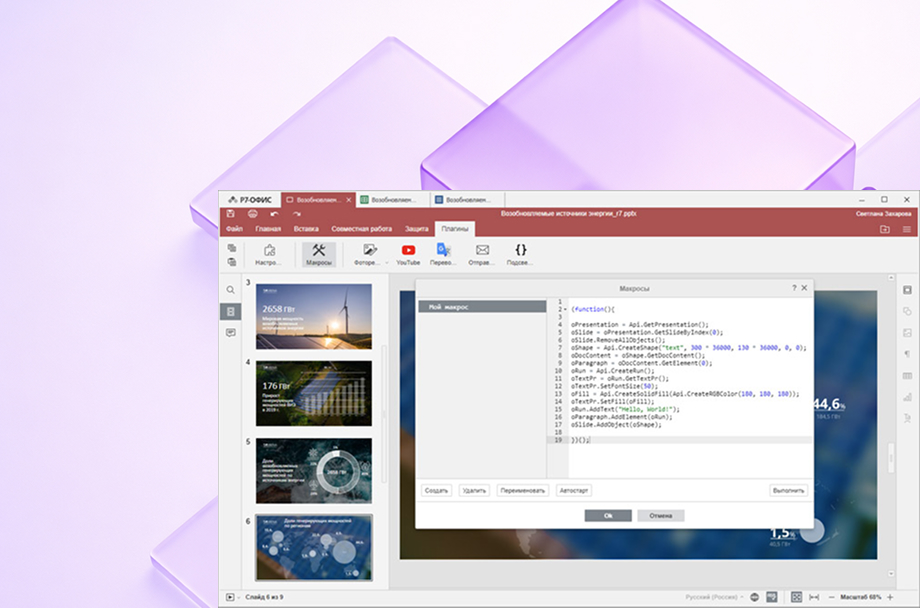
Automate any repetitive task, access the API, debug via console, and use hints and a method reference.
30+ solutions in the catalog: OCR, image editor, QR codes, LDM diagrams, watermarks, autosave, and more.
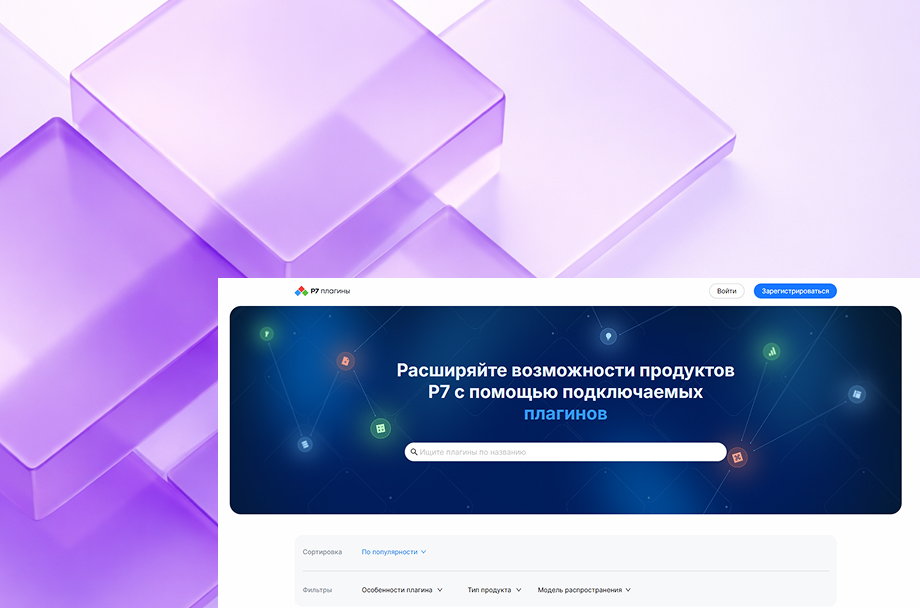
Connect your own plugins to tailor the editor to your company’s workflows and business logic.
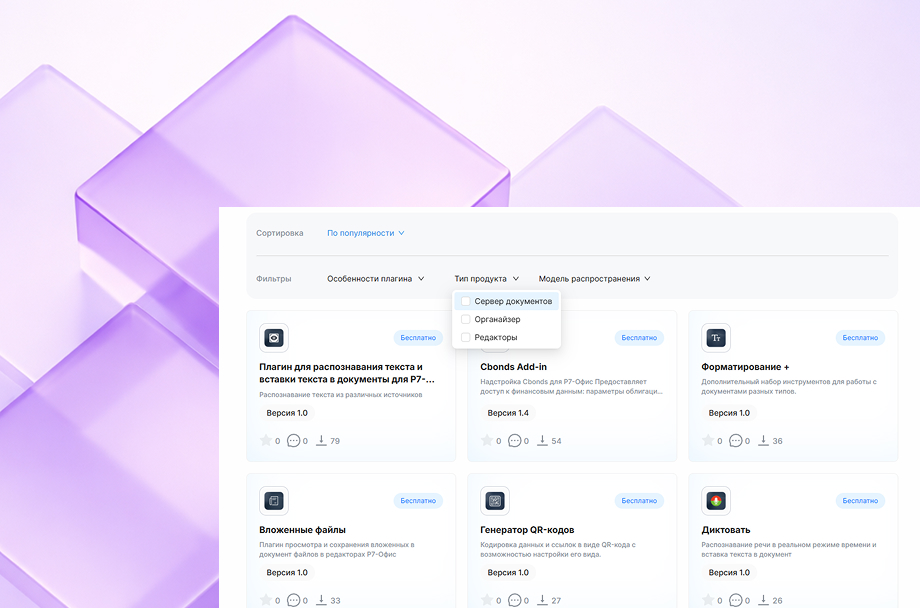
Automate any repetitive task, access the API, debug via console, and use hints and a method reference.
30+ solutions in the catalog: OCR, image editor, QR codes, LDM diagrams, watermarks, autosave, and more.
Connect your own plugins to tailor the editor to your company’s workflows and business logic.
Document Server fully complies with regulatory requirements and other current information security standards.
Centralized management of permissions, security policies, and visibility scopes.
Supports ESIA integration, two-factor authentication, and activity logs.
Listed in the Unified Register of Russian Software and recommended for deployment in enterprise and government environments.
Deploy in your own data center or on dedicated on-premises servers.
Full control over infrastructure, data, access, and updates. Ideal for organizations with strict security and autonomy requirements.
Deploy in an isolated corporate cloud with network segmentation, custom access policies, encryption, and auditing.
Flexible scaling and access for employees across multiple offices — without transferring data to external providers.
Evaluate the platform in a cloud environment — no deployment required on your end.
It’s a convenient way to explore features, format compatibility, and team collaboration scenarios before committing to a full rollout.
R7 Office is actively used in software platforms of major Russian corporations and partner infrastructures, demonstrating its reliability at millions of users and under perak workloads.




You’ll get a hands-on look at formatting, document comparison, automation, and spell-check features applied to real-world business scenarios.
Document Server is not a cloud SaaS service — it’s a server platform you deploy within your own infrastructure. Editors are accessed through a browser, but all data processing and storage remain entirely within your corporate perimeter, with no external vendors and no risk of data leaks.
Unlike Western solutions, the product is fully import-independent, runs correctly on Russian operating systems, complies with regulatory requirements, and gives you complete control over data, infrastructure, updates, and security policies.
Absolutely. S3 storage is supported, along with PostgreSQL for metadata, integrations with Landocs, NextCloud, CompanyMedia, user directories, and an API for embedding into corporate portals.
Yes. We provide a cloud environment where you can test real-world scenarios using your own materials. From there, production deployment within your own infrastructure is available, with full migration of templates and policies.
This website uses cookies to improve site performance, analyze traffic, and personalize content.
Technical cookies required for the website to function. These cannot be disabled.
Help us understand how you use the website so we can improve it.
Used to display relevant ads and measure campaign effectiveness.