Submit your request, and our specialists will contact you shortly.
Submit your request, and our specialists will contact you shortly.
Submit your request, and our specialists will contact you shortly.
Submit your request, and our specialists will contact you shortly.
Submit your request, and our specialists will contact you shortly.
You can review the methodology and training program for "Corporate Server 2024" via the link
We regularly update our product and share the news. Subscribe to our newsletter to stay up to date with the latest developments in the R7 Office environment.


Spreadsheet Editor for home, work, and study
 Windows
  macOS
macOS  Linux
Linux Works correctly with popular formats — XLSX, XLS, ODS, CSV, and more. Formulas, styles, column widths, and alignment stay intact, even in large and complex spreadsheets.
The editor keeps system load low and opens heavy files without issues. Works equally well on office PCs and home laptops, including older ones.
No need to hunt for the “right” office suite for your OS. The interface, keyboard shortcuts, and workflows are consistent everywhere — switching between computers is effortless.
The editor requires no monthly subscription and has no dependency on foreign services. You can work entirely offline — all files stay on your device. Or use the R7 cloud if you prefer working in a browser.
Calculate budgets, expenses, schedules, and any other metrics. Includes familiar functions for arithmetic, dates, logic, and basic analysis.
Adjust fonts, colors, borders, alignment, and number formats. Spreadsheets stay clean and easy to read.
Merge cells, configure headers, and highlight key rows and columns. Structure stays clear even in large spreadsheets.
Build bar, line, pie, and other chart types. Easier to spot trends, compare values, and explain data to others.
Filter rows by condition, sort by any column. Great for shopping lists, task tracking, workout logs, and any kind of record-keeping.
Organize data across sheets: “Income,” “Expenses,” “Study,” “Projects.” Everything in one file, each in its own tab.
Add images, links, and shapes — to make reports, study materials, or personal projects easier to follow.
The editor helps you catch typos in numbers and invalid formulas before they throw off your totals.
Save your spreadsheet to PDF in one click — convenient for sharing, printing, and archiving.
R7 supports extensions: scan recognition, tools for working with cascade diagrams, a random number generator, and other handy utilities.
Plugins help you format reports faster and keep your spreadsheets organized.

Macros let you apply consistent formatting, calculate the same metrics, fill in repeating blocks, and run sequences of actions automatically.
A great fit for anyone who works with spreadsheets regularly and wants to spend less time on repetitive tasks.
Works directly in the browser — no installation or setup required. The first 5 GB are free, with additional storage available if needed.
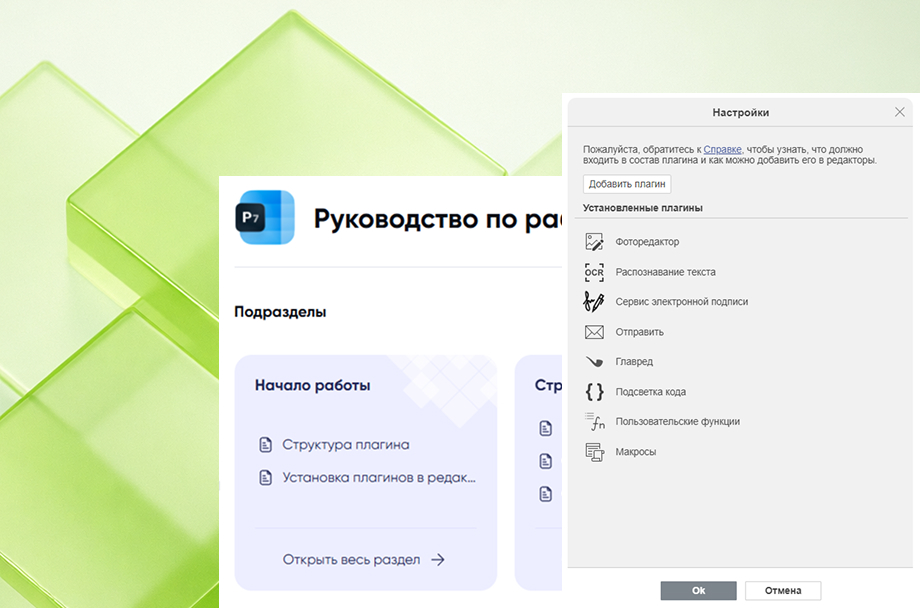
R7 supports extensions: scan recognition, tools for working with cascade diagrams, a random number generator, and other handy utilities.
Plugins help you format reports faster and keep your spreadsheets organized.
Macros let you apply consistent formatting, calculate the same metrics, fill in repeating blocks, and run sequences of actions automatically.
A great fit for anyone who works with spreadsheets regularly and wants to spend less time on repetitive tasks.
Works directly in the browser — no installation or setup required. The first 5 GB are free, with additional storage available if needed.
30 days of full access to all features. After that, a license is required.
The app is available for all major operating systems: Windows, macOS, Linux Debian, Ubuntu, CentOS, Astra Linux, RED OS, ROSA, ALT Linux, Linux
Runs right in your browser, with no installation or setup. The first 5 GB are free, and you can purchase additional storage if needed.
All R7 editors in one convenient mobile app. Edit slides, spreadsheets, and any text documents. Files sync automatically and are always at your fingertips.




In terms of features, it’s close to the Excel you know: formulas, filters, charts, multiple sheets, formatting, and printing. You can manage budgets, track data, build schedules, and create reports.
The key difference is that R7 Spreadsheet Editor doesn’t depend on foreign services. It’s a Russian product listed in the Unified Register of Russian Software that runs on any platform — Windows, macOS, Linux, and more. It has no ties to foreign infrastructure and won’t disappear due to sanctions. Everything is predictable, stable, and under your control.
Yes. The app correctly opens XLSX, XLS, ODS, CSV, PDF, and other popular spreadsheet formats. Formulas, formatting, borders, and styles are preserved — your spreadsheet looks exactly as it should.
You can edit and save in the same formats.
No. All spreadsheets can be opened and edited locally, without an internet connection. You only need a network if you’re working with cloud storage or want to sync files across devices.
Yes. The editor runs smoothly even on low-spec machines: it starts quickly, doesn’t slow down on large files, and won’t strain your system. If your laptop can handle a standard browser or basic applications, R7 Spreadsheet Editor will run just fine.
Yes. The app is available on the App Store, Google Play, RuStore, and for Aurora OS. In the mobile version, you can view and edit spreadsheets, update data, and add basic formulas and charts.
Other editors in the R7 family:

This website uses cookies to improve site performance, analyze traffic, and personalize content.
Technical cookies required for the website to function. These cannot be disabled.
Help us understand how you use the website so we can improve it.
Used to display relevant ads and measure campaign effectiveness.