Submit your request, and our specialists will contact you shortly.
Submit your request, and our specialists will contact you shortly.
Submit your request, and our specialists will contact you shortly.
You can review the methodology and training program for "Corporate Server 2024" via the link
We regularly update our product and share the news. Subscribe to our newsletter to stay up to date with the latest developments in the R7 Office environment.

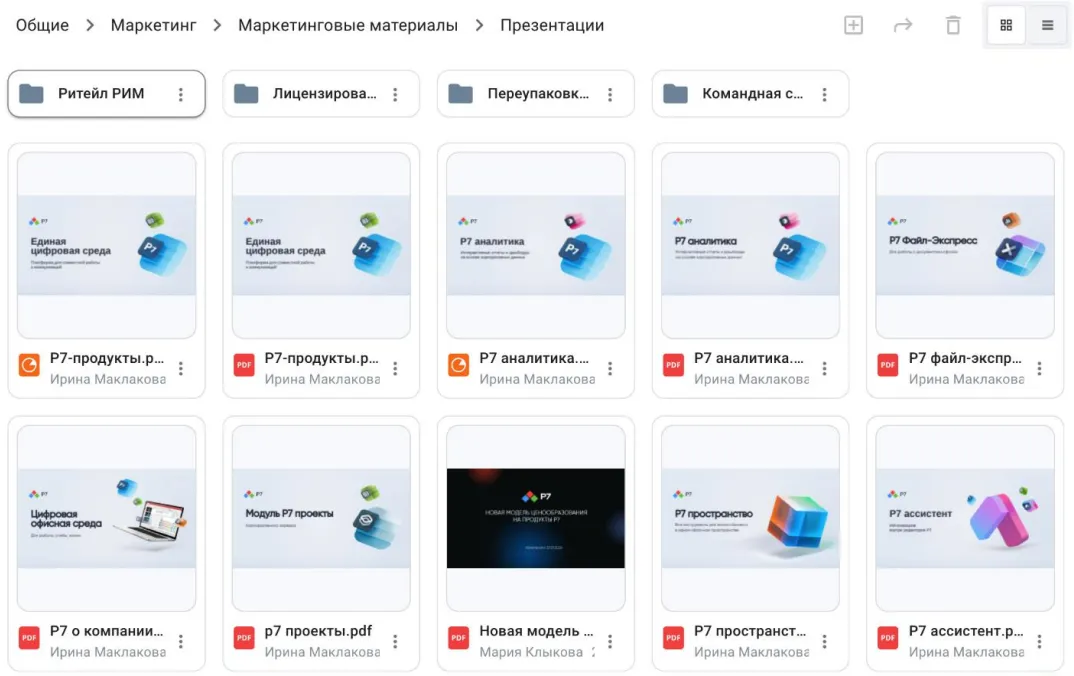
The R7 Drive module now has a folder tree, which helps users who store deeply nested, complex data. Users can also now switch the file view between tiles and a list.
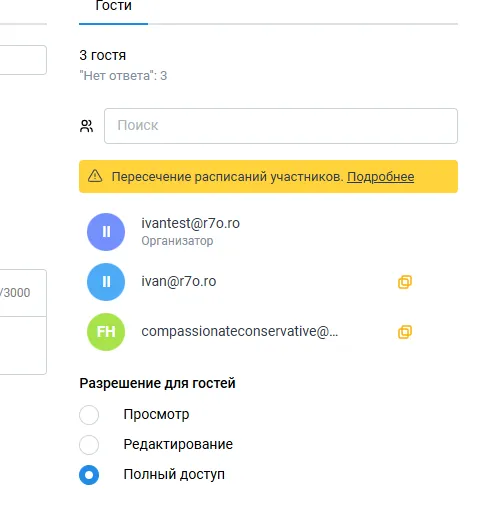
In the R7 Calendar module, when planning events, organizers now see right away whether invited internal participants are busy, even if those participants have not granted permission to view their calendars. These changes will help executives and top management, who schedule meetings with large numbers of participants more often than others.
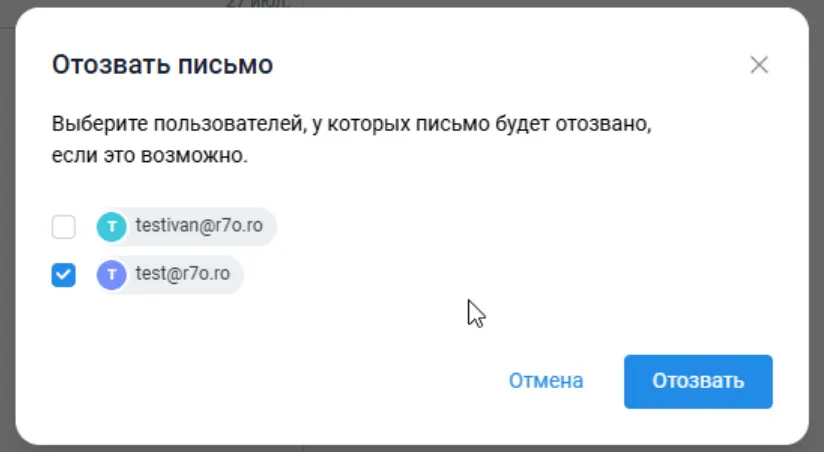
The R7 Mail module received a number of important improvements. Within the corporate network, users can now recall a sent email from selected recipients on the list. This helps when sensitive information is sent by accident. In addition, when you insert a link to an image from the internet, the image no longer loads into the body of the email, which saves traffic and disk space. When you collapse the folder list, the active mail account is now highlighted, so you can see at a glance which mailbox you are working in.
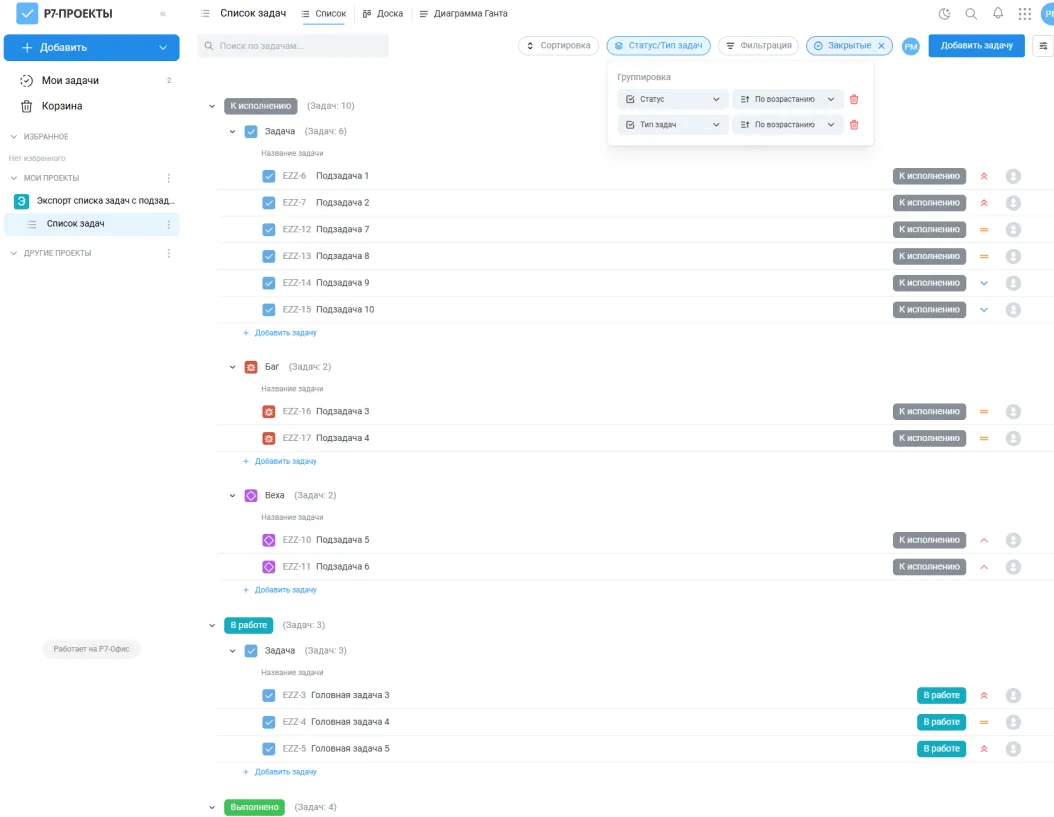
In the R7 Projects module, the Kanban board now has swimlanes: horizontal lanes that group tasks by an additional attribute without changing the columns and statuses. They help visualize large, complex projects. A new final status, “Closed,” has also been added. Unlike “Completed,” it means the task is finished and fully removed from the workflow. Users can now save their own list views for tasks. You can set up filters, sorting, and grouping to suit your needs, save the view, switch to it in one click, and export the list to CSV or XLSX.
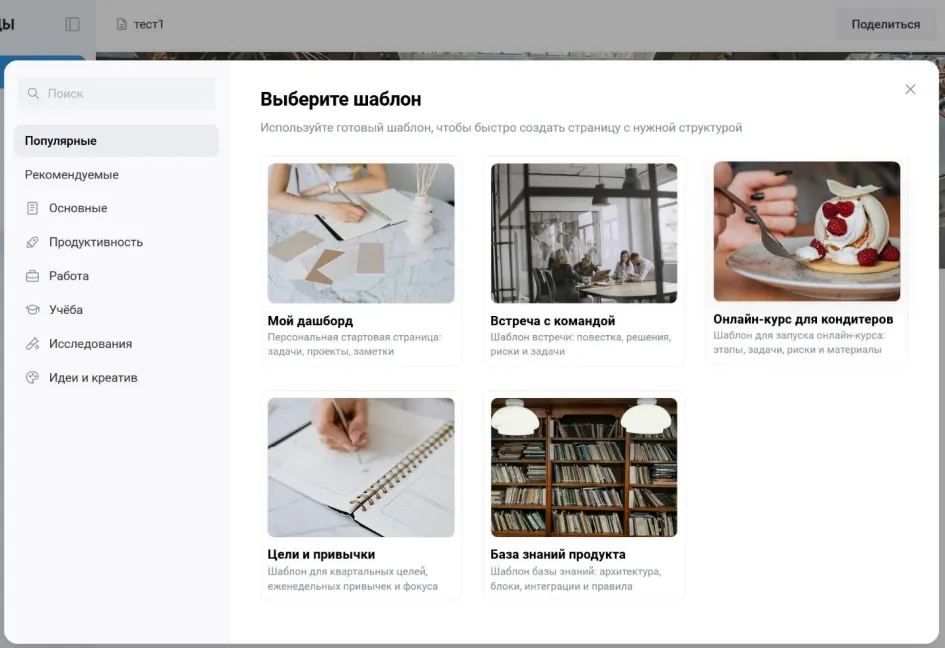
The R7 Pages module now has Version History and lets users track changes, including rolling back to earlier versions. This is useful when several people edit a page. A new section offers ready-made page templates, including dashboards, meeting notes, and knowledge bases. When you duplicate a page, you can now also copy all of its child pages with their full structure; using ready-made templates speeds up the creation of new sections.
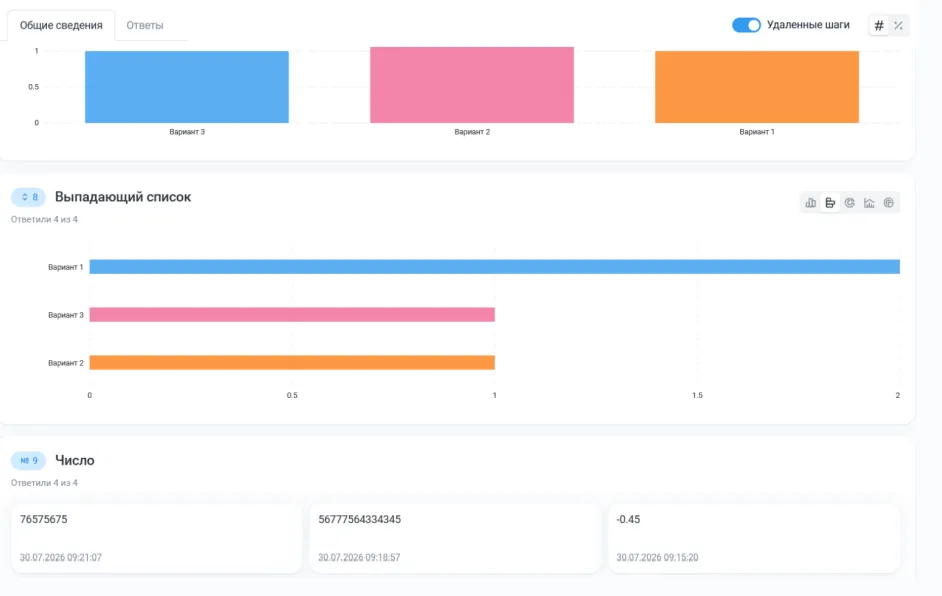
R7 Forms now has an “Answers” section. There, you can view survey results, browse the list of submissions, and open each user’s responses individually. You can now also export answers and control who has access to them. If a form allows only one submission, users who reopen it will see a notification that no attempts remain.
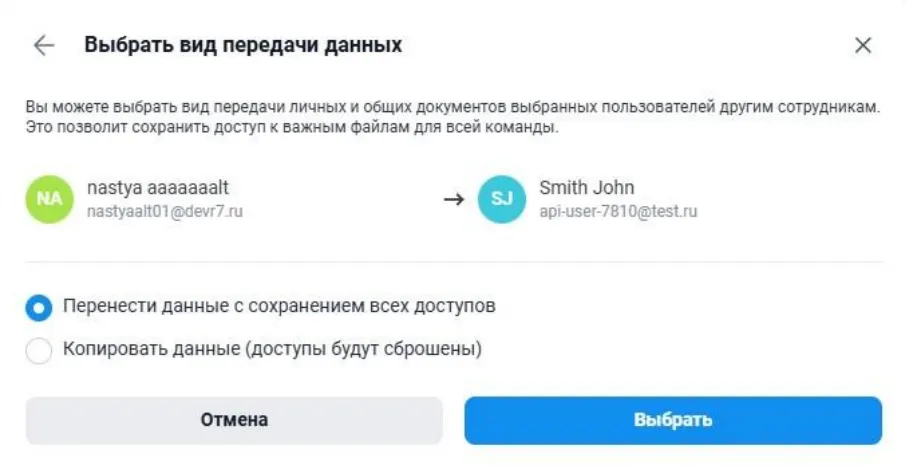
The improved R7 Administration module now lets administrators create roles with any name, such as “Sales Department Administrator” or “Head of Department,” and configure their permissions, from managing user statuses to access to composing emails. You can now transfer or copy data from one employee to another, and the configured access rights are preserved along with the files. This is convenient when an employee leaves the company or changes roles. You can also now block specific roles from accessing the “My Documents” folder, which is the default folder for every user. This helps when an employee needs to work only with specific documents. The interface for managing data storage quotas has been redesigned: quotas now have their own tabs, and managing them is now uniform.